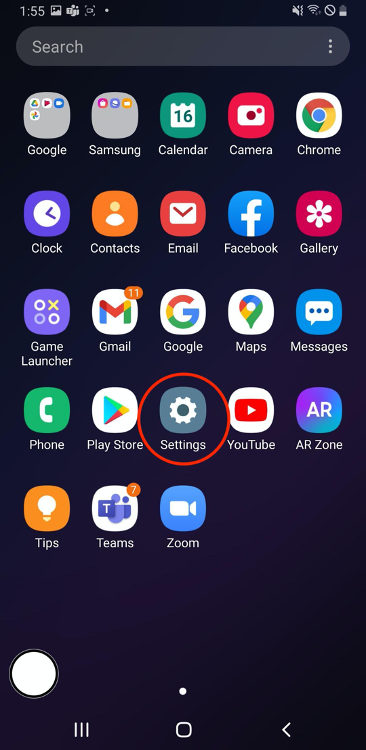
Step 1
Select Settings from your App Launcher screen.
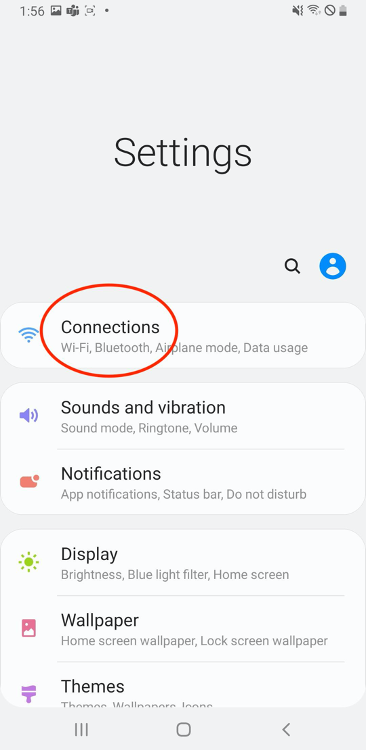
Step 2
Select Connections from the Settings menu.
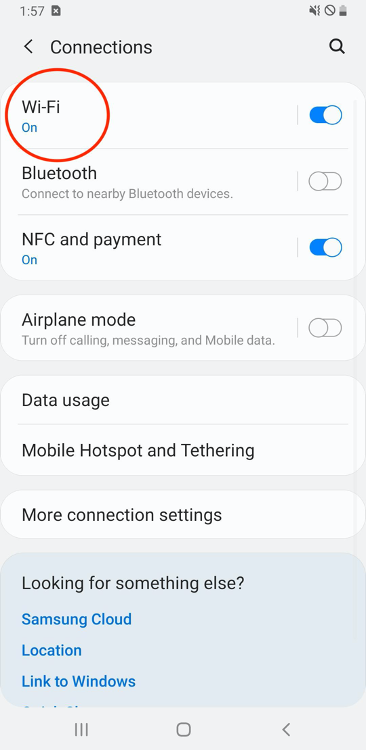
Step 3
Select Wi-Fi from the Connections menu.
Step 4
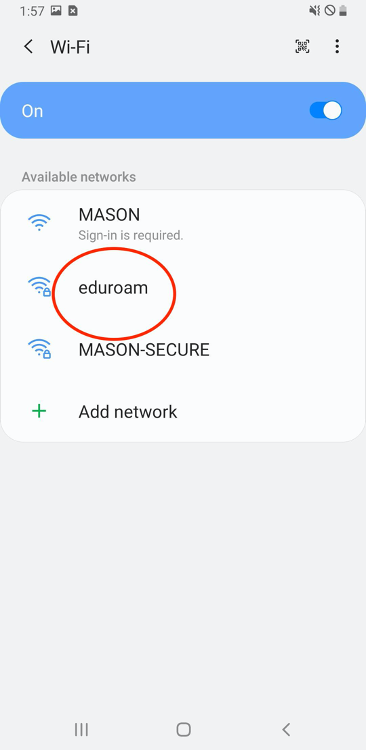
Select eduroam from the list of available networks.
Step 5
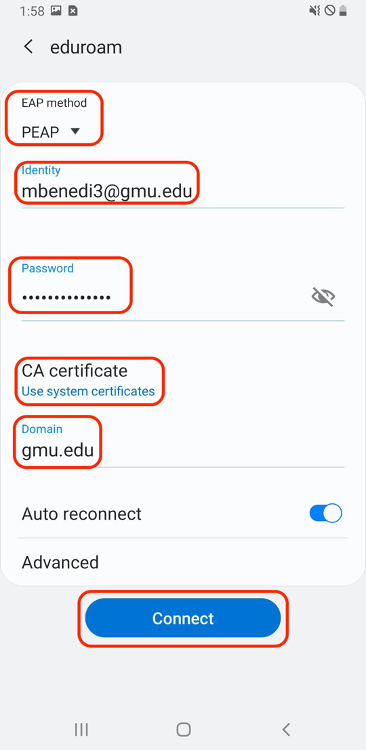
Configure eduroam with the following settings:
- EAP method – PEAP
- Identity – Your FULL George Mason e-mail address including the @gmu.edu
- CA certificate – “Use system certificates”
- Domain – “gmu.edu”
When finished select Connect.
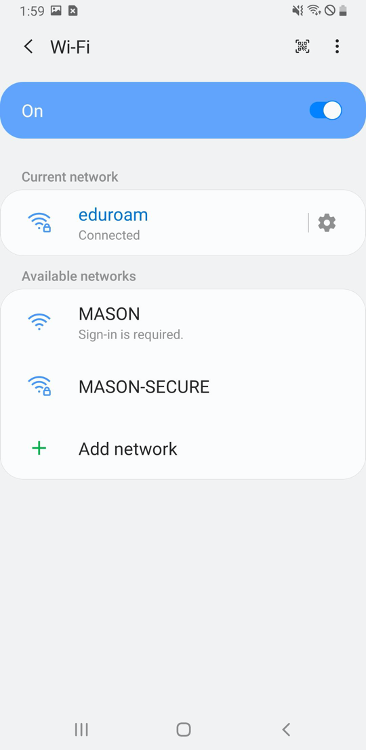
Step 6
Verify that eduroam is connected and that you are able to browse the web.