
Step 1
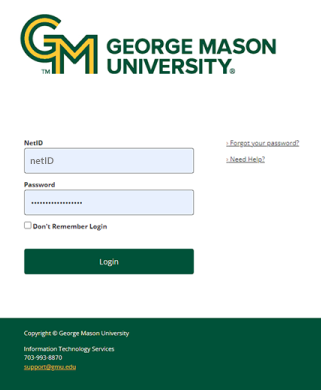
In the application’s login window, enter your NetID and Patriot Pass Password.
Step 2
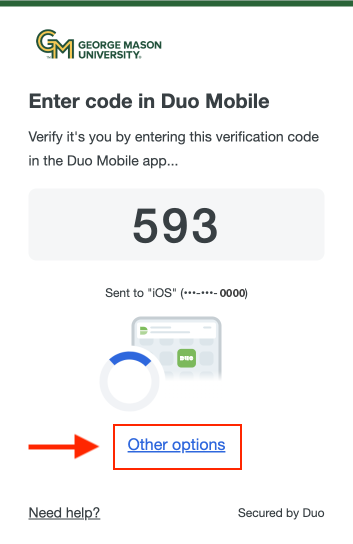
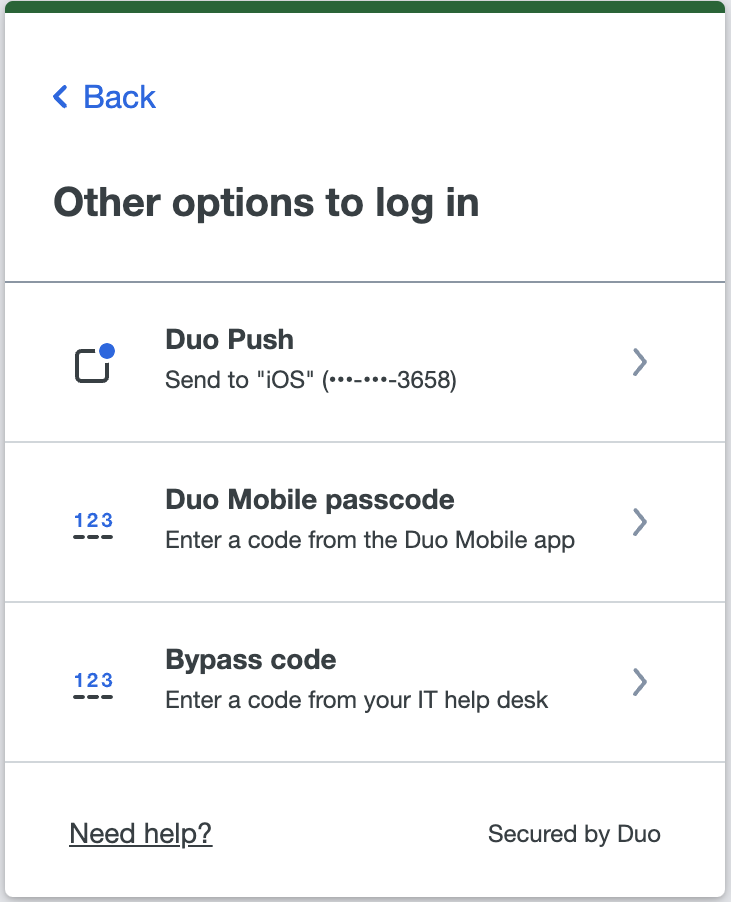
In the 2FA login window, select Other Options and then Bypass code.
Step 3
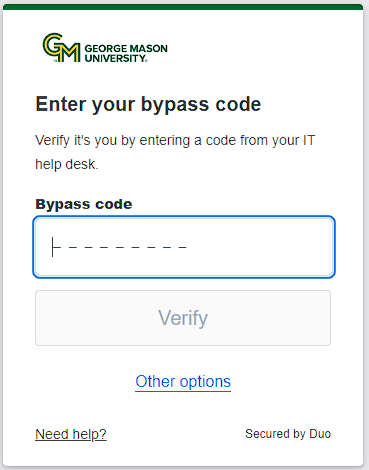
In the “Passcode” field, enter the bypass code you were given and click Log In.
|
The MASON-SECURE Wi-Fi network has been permanently shut down. To ensure uninterrupted connectivity, all campus Wi-Fi users should switch to eduroam. For details, see MASON-SECURE Retirement FAQs. |
In the application’s login window, enter your NetID and Patriot Pass Password.
In the 2FA login window, select Other Options and then Bypass code.
In the “Passcode” field, enter the bypass code you were given and click Log In.