
Step 1
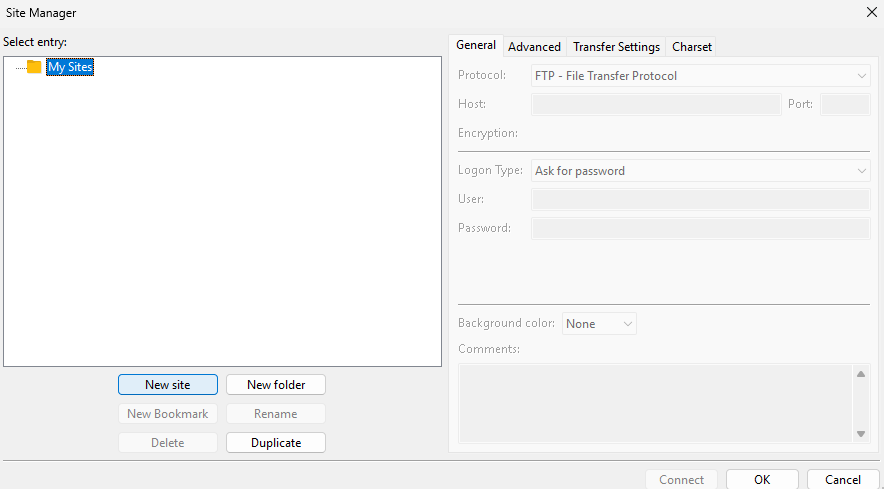
From the File menu, open the Site Manager.
Step 2
Select the New Site button. Name connection (suggested Mason).
Step 3
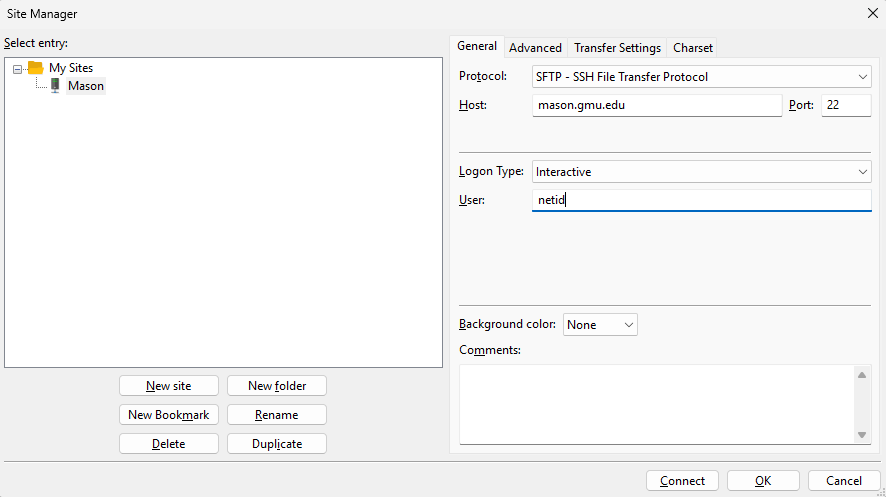
On the General tab, set the following configurations:
- Protocol: SFTP – SSH File Transfer Protocol
- Host: mason.gmu.edu
- Port: 22
- Logon type: Interactive
- Username: netid (IMPORTANT: The netid must be all lowercase or it will not work.)
Step 4
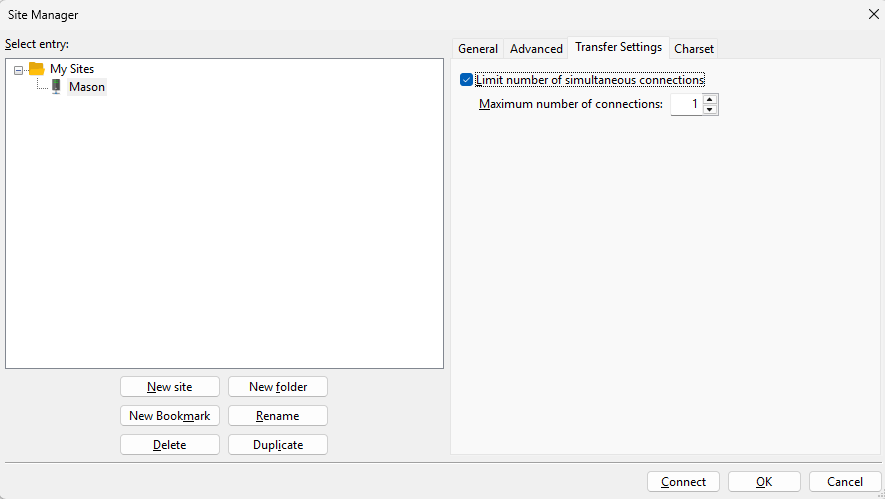
On the Transfer Settings tab, select Limit the number of simultaneous connections to 1; otherwise, you will need to reauthenticate for every file.
Step 5
Select OK to save.
Step 6
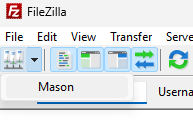
Select Site Manager (button) to connect.
Step 7
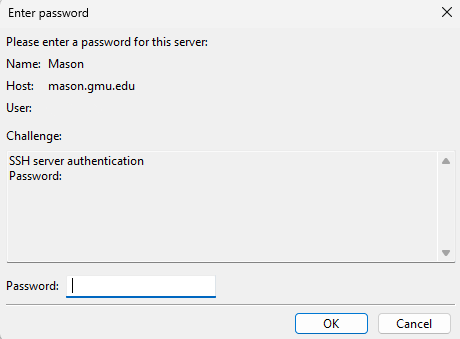
Put in your Patriot Pass Password and select OK.
Step 8
Choose an authentication method.
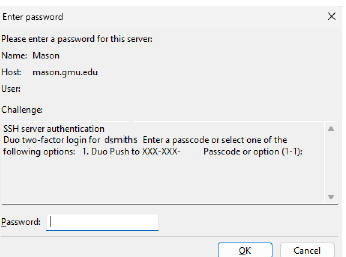
- Type 1 and select OK for a Duo Push, which will come from “ITS Linux Systems.”OR
- Type a Bypass Code and select OK.