
Step 1
Run any report containing the prompt with your saved prompt answer. Your default personal prompt answer will automatically be selected as your prompt answer.

Step 2
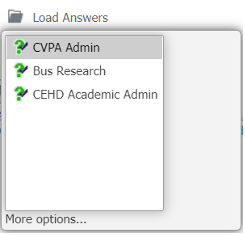
Make a new prompt answer by selecting one from the left-side box then click the right-facing arrow between the boxes, or select an existing saved answer from Load Answers.
Step 3
Select the Save this answer when report is run checkbox.

Step 4
In the Name box, enter a meaningful name for your saved prompt answer.
Note: Name will be pre-loaded if this is an existing saved answer.
Step 5
Select the Set as Default checkbox, and run the report.
