
Faculty can access the Media Gallery Analytics page to view different media engagement reports for students enrolled in a course.
Step 1
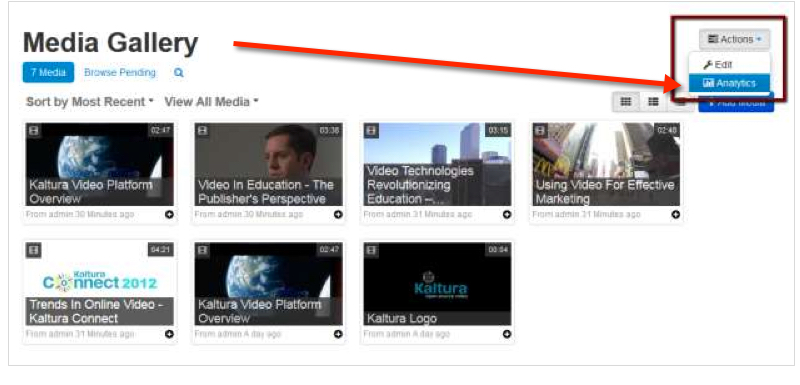
In the Media Gallery, click Actions and then Analytics.
Step 2
The Media Gallery Analytics page is displayed showing the Analytics Dashboard.
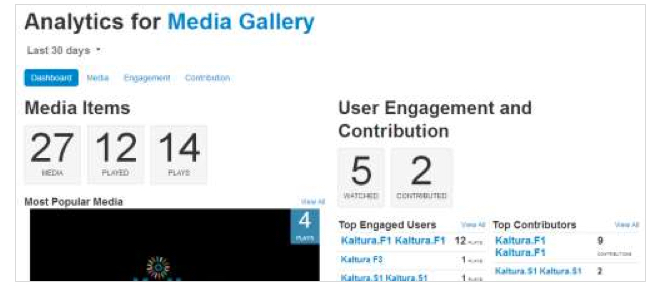
The Dashboard presents a summary of the available analytics. For example,
- Top Engaged Users-who are the users who viewed most content
- Top Contributors-who are the users who contributed most content