
You can either submit a form to recover the George Mason-managed encryption key or recover it via your George Mason Microsoft account.
Submit a Form to Recover the Mason-managed Encryption Key
Follow the prompts and submit a Decryption Key Request form for assistance with recovering both Windows and Mac Encryption Keys.
Submit a Form Instructions
You will need your driver’s license, state ID, or passport to complete this process. Additionally, you have 45 minutes to complete the form.


Self-Service Retrieval of Windows Keys
Recover the George Mason-managed encryption key using your https://myaccount.microsoft.com account
Step 1
Navigate to https://myaccount.microsoft.com.
Step 2
Log in with your George Mason credentials.
Step 3
Click on Devices in the left menu.

Step 4
Select the device for which you would like to recover the encryption key and press the down arrow.
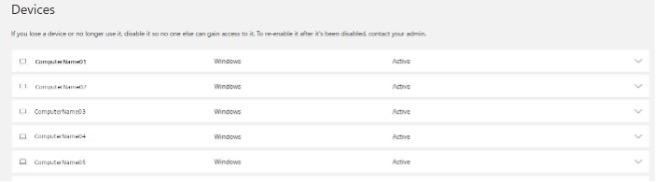
Step 5
Select the View Bitlocker Keys button.
