
Information Technology Services

March 8- Changes to Login for Mason Applications

On Sunday, March 8, Information Technology Services (ITS) unified the login experience across most applications by having authentication services hosted by a third-party provider. Information about these changes is available at 2FA Roadmap 2019-2020.

  • Impact on Users Enrolled in Two-Factor Authentication (2FA)
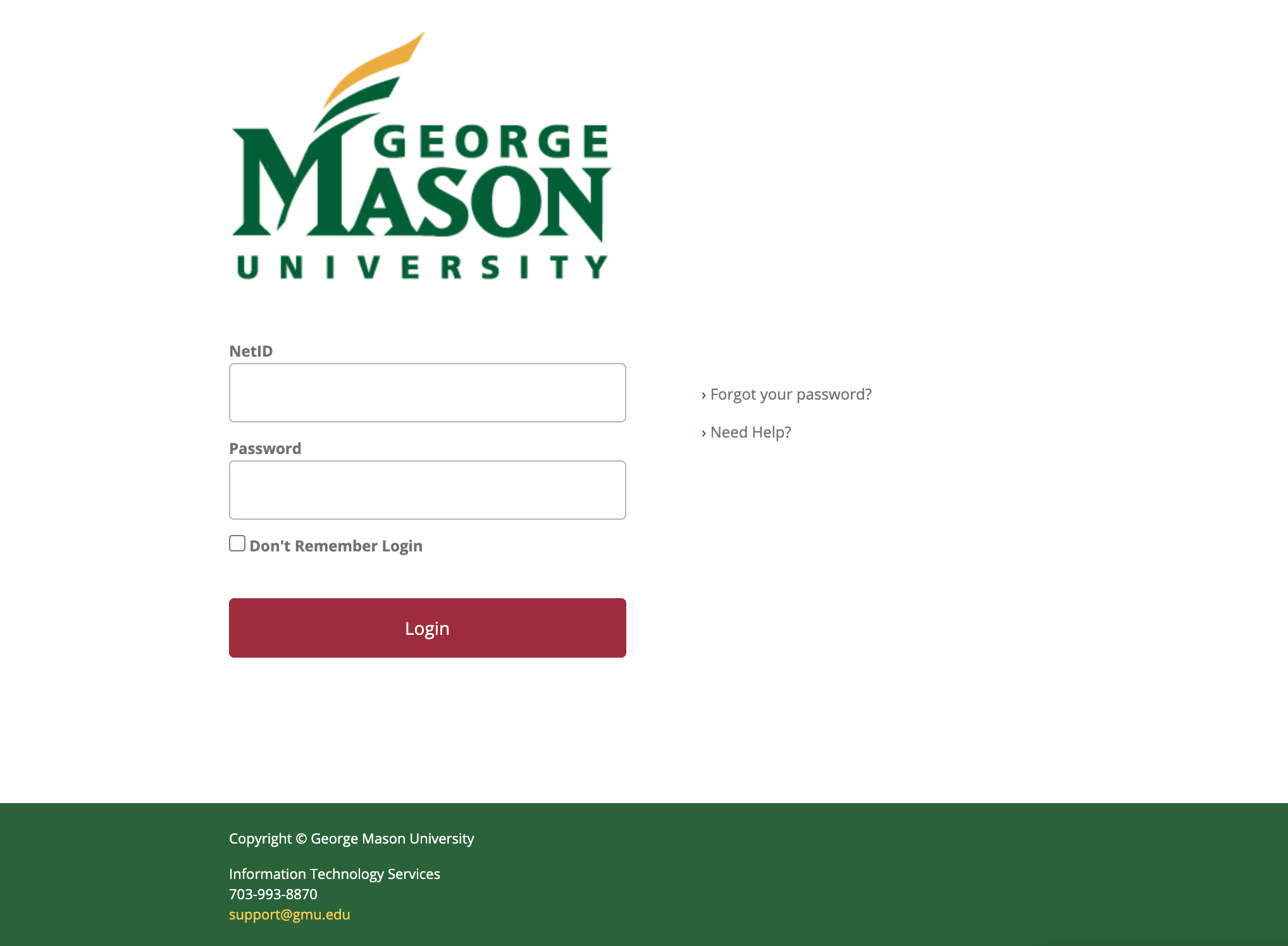
    This change added 2FA to all applications which use Shibboleth to authenticate such as Webex, Salesforce, Handshake, StarRez, LinkedIn Learning, and Qualtrics. As of March 8, 2FA users will see the new login page (see image below) and be prompted to use 2FA with these additional applications. Blackboard will not require 2FA at this time.
  • Impact on Users NOT Enrolled in Two-Factor Authentication (2FA)
    As of March 8, users not enrolled in 2FA will see the new login page for Mason applications (see image below) and WILL NOT be prompted or required to use 2FA. Users not enrolled in 2FA at Mason are highly encouraged to do so for an extra layer of protection of your personal information. See https://2fa.gmu.edu for details.

New login page for Mason applications
If you have questions or need further information, please contact the ITS Support Center at 703-993-8870 or [email protected].

Changes to Login for Mason Applications

On Sunday, March 8, Information Technology Services (ITS) is unifying the login experience across most applications by having authentication services hosted by a third-party provider. In preparation for this change, on Sunday, February 23, from 7 to 11 a.m., ITS will be testing its implementation of these changes. Information about these changes is available at 2FA Roadmap 2019-2020.

  • Impact on Customers Enrolled in Two-Factor Authentication (2FA)
    This change on March 8 will add 2FA to applications such as Handshake, StarRez, LinkedIn Learning, etc. Blackboard will not require 2FA at this time. During this weekend’s maintenance, you may see the new login page and/or be prompted to use 2FA with these additional applications.
  • Impact on Customers NOT Enrolled in Two-Factor Authentication (2FA)
    During this weekend’s maintenance, you may see the new login page for Mason applications. You will not be prompted or required to use 2FA.  Moving forward, students are highly encouraged to enroll in 2FA at Mason for an extra layer of protection of your personal information. See https://2fa.gmu.edu for details.

If you have questions or need further information, please contact the ITS Support Center at 703-993-8870 or [email protected].

Reminder: Windows 7 Upgrade

On January 14, 2020, Microsoft ended support for its Windows 7 operating system and no longer provides critical security updates. Mason-owned computers running Windows 7 pose a security risk for users and the Mason network. Starting Friday, February 21, any remaining Mason-owned computers running Windows 7 will be unable to access the Mason network until they are upgraded to the Windows 10 operating system. If you have a Mason-owned computer running Windows 7, please contact the ITS Support Center at [email protected] or 703-993-8870 to schedule the upgrade.

Two-Factor Authentication Required for New Employee Office 365 Accounts

Beginning Sunday, February 9, 2020, all new employees will be required to use Two-Factor Authentication (2FA) with their Office 365 accounts. This builds on the automatic 2FA enrollment that employees complete as part of their NetID claim process.

Once enrolled, new employees will be prompted for their second factor using Duo when logging into Office 365, just like when they log into Patriot Web. To prove their identities users can provide:

  • A Duo push or passcode through the Duo Mobile app on their smartphones or devices
  • Get a passcode from a Yubikey (Available for purchase at Patriot Tech)
  • Get 10 one-time passcodes through Mason’s 2FA site

This change is part of Mason’s continuing transition to improved policies and standards that follow national guidelines for online safety and security. Using 2FA to authenticate a users’ identity lessens the risks of compromise and is safer. Information about 2FA is available

Quick FAQs:

  1. Are current employees/2FA users affected? No, not at this time. However, they may choose to voluntarily enroll in 2FA for Office 365 at any time. ITS will be implementing 2FA for Office 365 for all existing users in late March 2020. Current employees may choose to voluntarily enroll in 2FA for Office 365 before the March implementation. See: How to Add 2FA to Your Office 365 Account
  2. Where can I learn more about the plans related to 2FA? 2FA Roadmap. This page explains what our current focus and plans are for 2FA along with a timeline. See: 2FA Roadmap 2019-2020
  3. Will this impact students? Only if they are student workers WITH accounts in the EMPLOYEE Office 365 system. MasonLive is not impacted by this change. However, if a student worker receives an employee Office 365 account as part of their employment at Mason, they will be required to use 2FA on the Employee Account. Note: Student workers are already subject to 2FA to access Patriot Web for payroll purposes.

If you have questions or need more information, please contact the ITS Support Center at 703-993-8870 or at [email protected].


Webex Meetings Now Password Protected

To strengthen the security of meetings and protect against unauthorized attendance, Cisco now requires Webex Meeting sessions to be password protected.

Webex Meetings is configured to automatically add passwords for any new sessions scheduled after Friday, January 10, 2020. Site administrators will not be able to disable passwords.

Participants can easily join a meeting by clicking on the URL in the meeting invitation through email or the Webex Meetings mobile app, without requiring passwords. Only users who enter the meeting number on the web page to join a meeting are required to enter passwords. The password requirement does not affect attendees dialing into the meeting through a phone or video device.

If you have questions or need assistance with Webex Meetings, please contact the ITS Support Center at 703-993-8870 or [email protected].